Compressor / Limiter
หมวดหมู่ : BASS GUITAR PEDALS , PEDALS & PEDALBOARDS , ELECTRIC GUITAR PEDALS ,
แบรนด์ : Electro Harmonix
Share
Pico Platform
Studio-style compression / limiting in a super-small pico package!
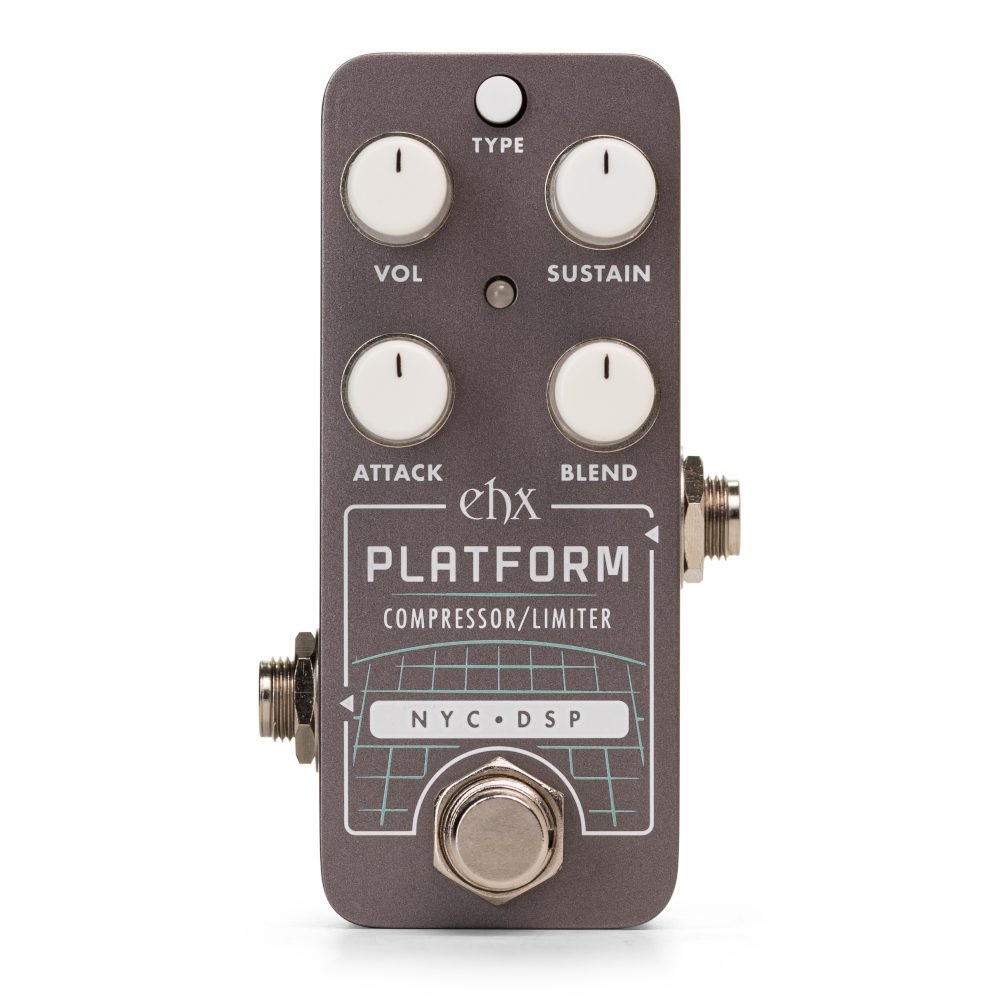
The EHX Pico Platform Compressor / Limiter is a powerful and versatile studio-style compressor enclosed in a pico-sized package. Borrowing from the original, the Pico Platform condenses the comp section of the full-sized Stereo Platform for those looking to fit smooth studio compression onto any pedalboard. Packed with 2 modes and Hard/Soft Knee compression options, it is a perfect fit for sculpting your dynamics with professional precision.
Use the Pico Platform compressor / limiter on any instrument for precise and powerful control of your signal’s volume and of course, extended sustain on leads. Add subtle dynamic control to level out peaks and valleys in your signal or give your sound a real squeeze for extra sustain and pop. The Pico Platform is extremely transparent with no tonal coloring, making it extremely versatile and easy to work into your existing set up.
The Pico Platform’s control set is simple yet comprehensive. Use the Sustain control to adjust the compressor ratio or limiter threshold for a subtle or extreme effect. The addition of a Blend knob allows for adding seamless sustain while preserving attack and tone. Adjust the Attack control to set when the compressor activates after a transient. Use the Mode button to choose between Compressor and Limiter modes and Soft Knee or Hard Knee compression curves for smoother or more dramatic compression styles.
Controls:
1. VOL: Controls the output volume.
2. SUSTAIN:
Compression ratio determines how much the compressor squashes the signal’s volume and thus how much it levels out dynamics. The higher the ratio, the more it reduces the peaks to yield a more consistent output volume.
3. ATTACK: Sets the speed at which compressor/ limiter activates once the input signal level reaches or exceeds the threshold setting. Turning clockwise adjusts the attack time from fast to slow. Slow ATTACK settings emphasize the initial attack and add greater pop to your notes. Fast ATTACK times produce even compression, acting on both the pluck and decay.
4. BLEND: Adjusts the output wet/dry mix.
5. TYPE Button: Selects the effect mode:
Knee Selection
The Pico Platform offers two options for the compression knee: hard and soft. The knee—which occurs at the threshold—refers to the transition between the uncompressed and compressed sections of the gain curve.
Hard knee creates a more dramatic compression effect, while soft knee is smoother. Hard knee is selected by default from the factory. To change the knee selection, do the following:
The knee setting is remembered through power-cycles so you can set it and forget it.
Specifications: